Editing the Video Section
The Video section displays the latest video in Videos category. It also provides a link to the page where all available videos are listed.
To edit:
- Click on the Posts tab on the Admin dashboard. This brings up a list of All Categories of posts that have been created for the website.
Click on the Categories drop-down menu and select Videos to filter the posts. Then click the 'Filter' button to complete.
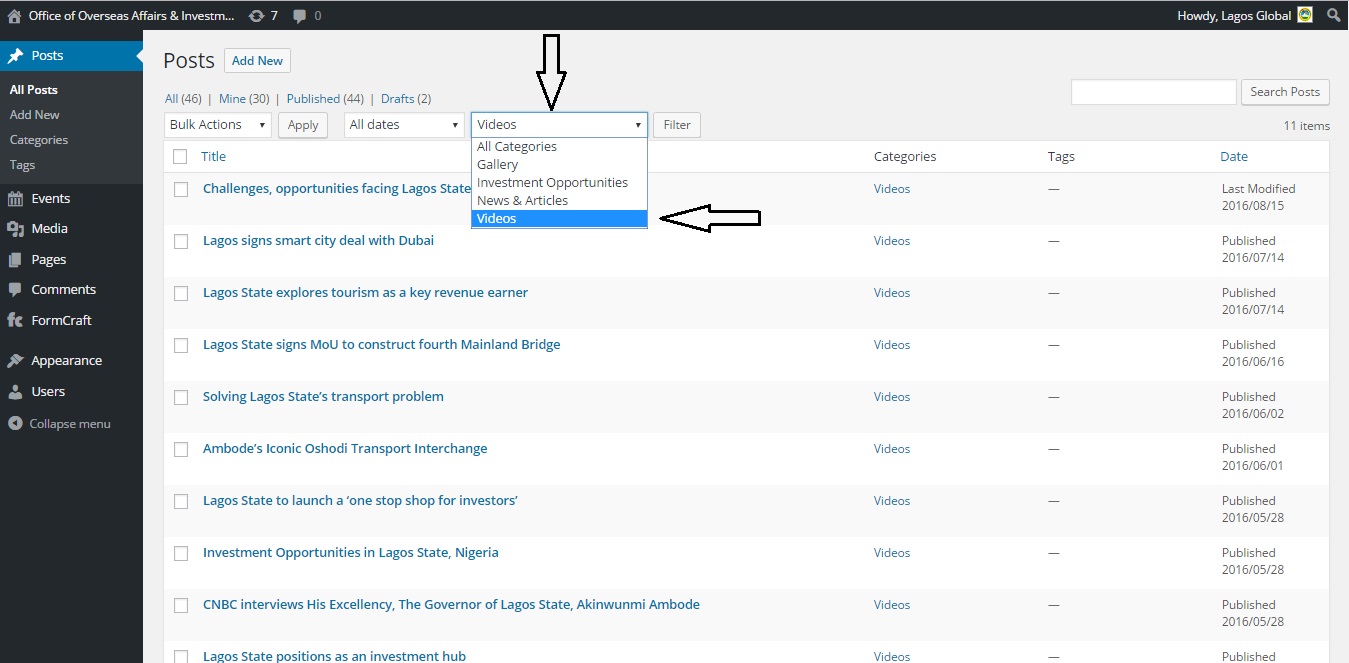
Identify the latest video being displayed on the website by its title.


Hover over the title and click on the Edit option.
On the Edit page, you can only make changes to the Video Title and Video Description. DO NOT edit the Video ID.

Update.