Editing Divisions
Click on the Pages tab on the Admin dashboard.
Hover over Lagos Global Departments row and click on the Edit option. This takes you to the Edit page where you can make the required change(s).

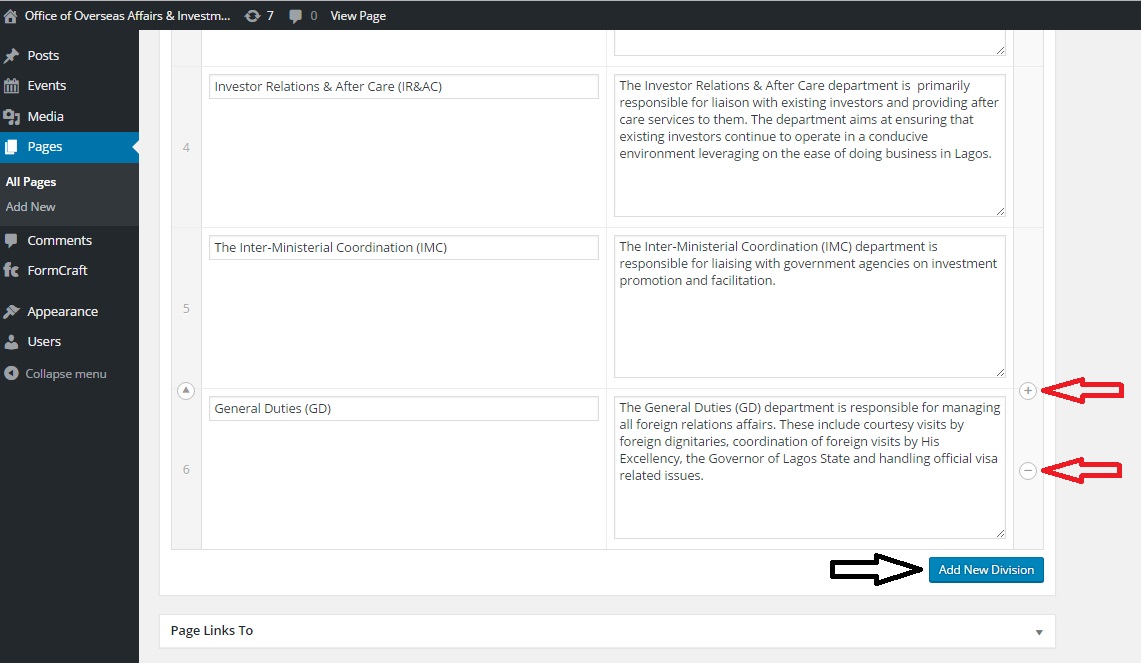
To delete a division, hover over the row and click on the ' - ' button. To add a new division, click on the ' + ' button or 'Add New Division' button.